Training and Competency

HSEQ Management System Software for Managing Training and Competency Assessment Tests

HSEQ Management System Software

Training and Competency

Empower Your Workforce with Sherm’s Safety Training Software

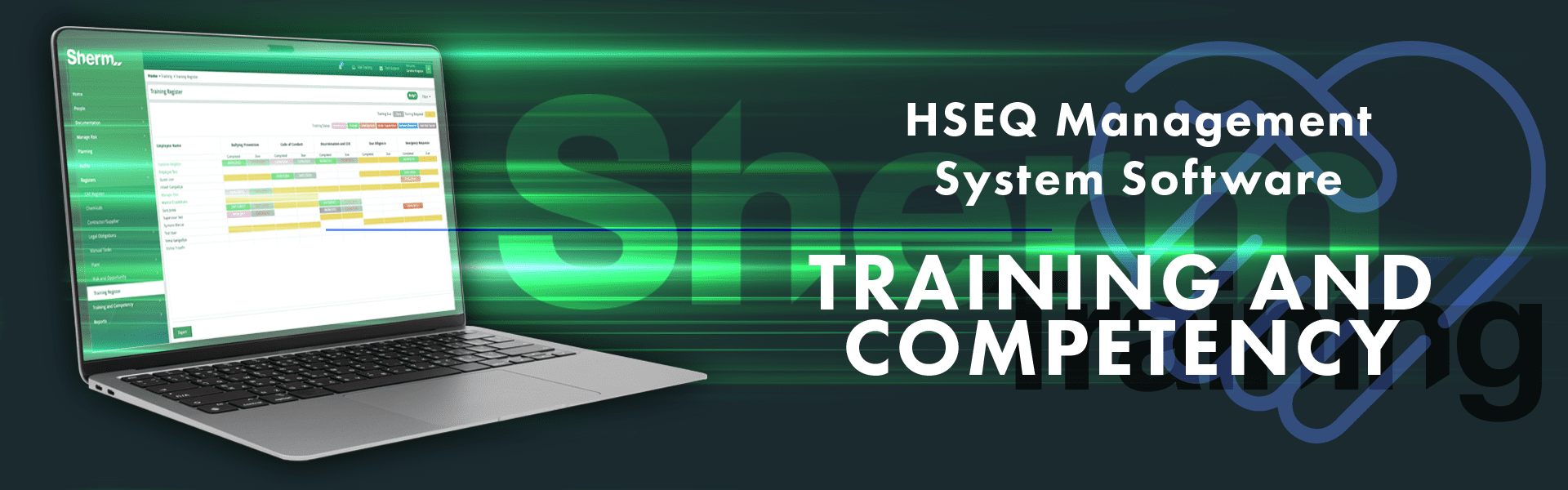
Sherm’s Safety Training Software simplifies the process of providing essential training and competency development in the workplace, ensuring your employees have the necessary skills and knowledge for their roles. With a seamless transition from paper-based systems, Sherm enables you to develop, schedule, and monitor online and offline training sessions, all tailored to meet your compliance needs.

Key Features of Sherm’s Training & Competency Software

1. Online Learning and Custom Training Masters
  • Customised Training Programs: Design and populate training content with specific resources like approved documents, multimedia, and links.
  • Compliance Tracking: Define required training frequency, with completed records maintained in a comprehensive Training Register.
2. Flexible Learning Options
  • Multimedia Content: Include videos, infographics, and interactive modules to cater to varied learning styles.
  • On-the-Job Assessment (CATs): Conduct Competency Assessments through Sherm’s Mobile App, enabling real-time assessments by a qualified supervisor during actual tasks.
3. Automated Scheduling and Notifications
  • Reminder Notifications: Alerts are sent to managers and users for upcoming training and reassessment deadlines.
  • Calendar Integration: Add upcoming training sessions directly to calendars, ensuring important dates aren’t missed.
4. Mobile Compatibility
  • Learning on the Go: Access training and CATs on smartphones and tablets, allowing employees to train from any location.
5. User-Friendly Interface and Analytics
  • Intuitive Navigation: Sherm’s user-friendly interface makes it easy for employees to locate and complete training requirements.
  • Advanced Reporting: Generate detailed reports to track training completion, competency gaps, and compliance status.

Key Benefits of Sherm’s Training & Competency Software

1. Enhanced User Proficiency
  • Higher Productivity: Comprehensive training leads to efficient task completion and fewer errors.
  • Risk Mitigation: Proficient understanding of safety protocols supports better incident reporting and compliance.
2. Improved Risk Management
  • Effective Hazard Management: Trained employees are better prepared to identify, assess, and manage risks, enhancing workplace safety.
  • Compliance Assurance: Position-specific training requirements ensure all employees meet regulatory standards.
3. Operational Efficiency
  • Automated Processes: Streamlined workflows reduce manual effort, improving administrative efficiency.
  • Data-Driven Decisions: Reporting tools allow for analysis of training metrics, supporting informed decisions.
4. Employee Development and Retention
  • Skill Enhancement: Continuous learning fosters growth and multi-skilling, improving workforce effectiveness.
  • Job Satisfaction: Confidence in competency reduces stress and increases job satisfaction, supporting employee retention.
5. Cost and Time Savings
  • Reduced Training Expenses: Efficient training processes minimise costs associated with extensive on-site training.
  • Minimised Downtime: Well-trained employees can troubleshoot issues, reducing operational disruptions.
6. Competitive Advantage
  • Enhanced Compliance and Risk Management: Organisations can demonstrate competency, building client trust and positioning themselves more competitively in tenders.

By leveraging Sherm’s comprehensive Safety Training Software, organisations ensure employee development, regulatory compliance, and a safer, more capable workforce.

Intro Video

Register > HERE and Fill out Form

Receive Confirmation Email.

Watch Video > In 9 minutes understand our process.

Contact Us > Let's discuss your requirements.

Frequently Asked Questions

Sherm uses a dedicated Training Master to manage all training requirements across your workforce. Clients can create customised training programs, link relevant documents from the Approved Documents Register, and embed external links or videos for better engagement. Each training item can include a specified frequency for renewal. Once training is completed, the record is automatically logged in the Training Register, providing a secure and auditable history of workforce development.

Sherm’s Competency Assessment Test (CAT) Master enables clients to create, assign, and manage assessment-based training. Upon completion, CAT results are recorded and stored for future reference. By keeping Manage Positions updated with the required training and competencies, Sherm auto-generates a Training Needs Analysis that identifies upcoming training requirements. Reports can be generated by users with the Manage User role, ensuring proactive monitoring of workforce compliance and readiness.

Workers can complete assigned training and CATs using either the Sherm mobile app or the web app, through the My Training and My CAT sections. Upon completion, records are automatically updated in the Training Register when the User clicks on Notify Organiser of Attendance. The records is maintained in the employees profile in Manage Employee > Training Undergone, ensuring real-time visibility of each worker’s training history and compliance status.

Schedule Audits

HSEQ Management System Software for Internal Safety, Risk and Compliance Audits | Audit Management Software - Sherm

HSEQ Management System Software

Audits

Streamline Compliance and Performance with Sherm’s Audit Management Software

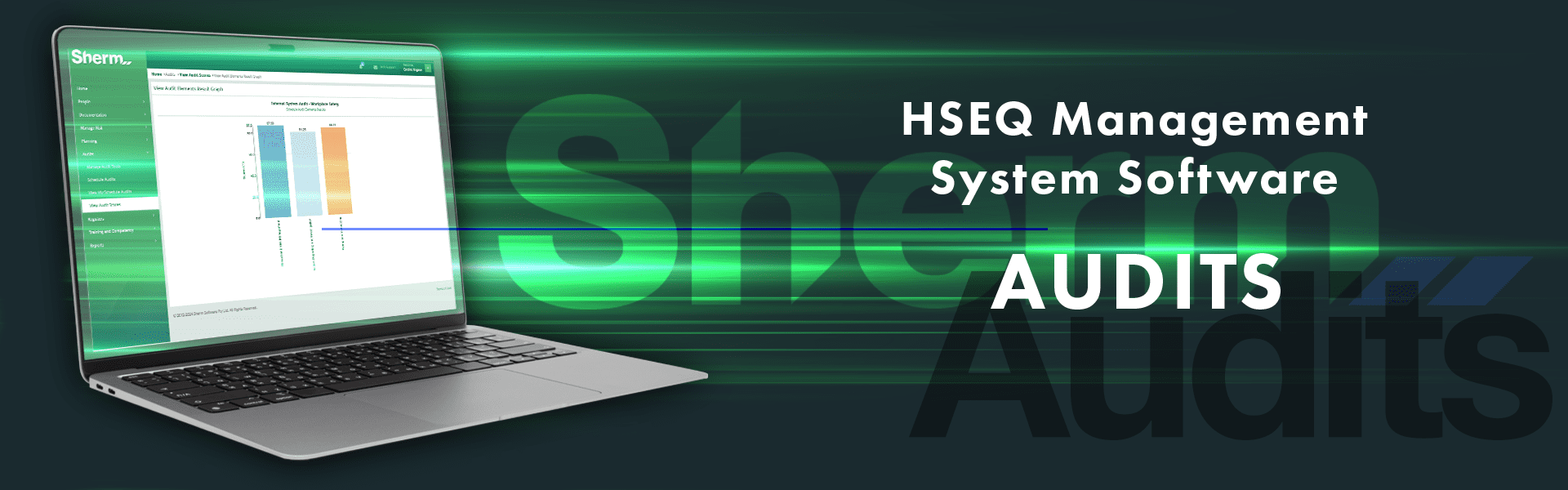
Sherm’s Audit Management Software is designed to simplify and enhance your auditing process, helping organisations manage compliance effectively, identify improvement opportunities, and proactively mitigate risks. With automated features, real-time reporting, and advanced analytics, Sherm supports a more efficient, accurate, and compliant auditing workflow.

Key Features of Sherm’s Audit Management Software

1. Automated Audit Scheduling
  • Recurring Audits & Reminders: Set up regular audit schedules and receive automated reminders to ensure audits are conducted on time.
  • Customised Scheduling: Adapt audit schedules based on specific organisational needs for enhanced flexibility.
2. Customisable Audit Templates
  • Industry-Specific Checklists: Tailor audit checklists to align with organisational requirements and industry standards.
  • Comprehensive Coverage: Ensure all relevant audit areas and criteria are consistently reviewed.
3. Real-Time Reporting and Dashboards
  • Instant Report Generation: Access immediate insights from audit findings, trends, and visual graphs.
  • Audit Progress Monitoring: Track audit statuses in real-time, ensuring transparency and accountability.
4. Role-Based Access Control
  • Secure Access: Control access to sensitive audit data through role-based permissions.
  • Enhanced Data Confidentiality: Limit access to authorised personnel, maintaining confidentiality and data integrity.
5. Advanced Analytics and Insights
  • Data-Driven Insights: Identify non-compliance trends and improvement areas with powerful analytical tools.
  • Visual Data Interpretation: Use data visualisation tools to simplify complex information for better decision-making.
6. User Notifications and Alerts
  • Automated Alerts: Receive notifications for upcoming audits, with automatic calendar event additions and dashboard alerts.
  • Stakeholder Engagement: Ensure that relevant stakeholders are informed on audit completions and submissions.

Key Benefits of Sherm’s Audit Management Software

1. Enhanced Compliance
  • Adherence to Standards: Ensure alignment with industry standards, regulations, and internal policies.
  • Reduced Compliance Risks: Minimise the risk of non-compliance and avoid associated penalties.
2. Increased Accuracy and Consistency
  • Standardised Processes: Consistent audit processes and criteria deliver accurate, reliable results.
  • Reduced Human Error: Automated data collection and reporting minimise manual errors.
3. Operational Efficiency
  • Optimised Auditing Process: Save time and reduce administrative tasks with streamlined audit scheduling and automated notifications.
  • Automated Reporting: Generate reports effortlessly, reducing manual effort and saving valuable time.
4. Improved Risk Management
  • Early Risk Identification: Detect potential risks and areas of non-compliance early on.
  • Prioritised Actions: Assign corrective actions to address audit findings proactively, reducing organisational risks.

Sherm’s Audit Management Software empowers organisations to manage audits effectively, ensuring compliance, consistency, and efficiency in every audit cycle.

Intro Video

Register > HERE and Fill out Form

Receive Confirmation Email.

Watch Video > In 9 minutes understand our process.

Contact Us > Let's discuss your requirements.

Frequently Asked Questions

Audits in Sherm are scheduled and conducted using your own custom-built templates. During the audit, evidence is recorded directly within the platform. Once each section is completed, the audit is finalised with an Executive Summary and Recommendations, and the status is updated to “Completed.” Automatic notifications are then sent to relevant users as set in the User Notifications panel, and the results are included in the Monthly Data Analysis for visibility and reporting.

Yes. Sherm stores full audit history, making regulatory compliance checks seamless and efficient.

Planning and Performance

HSEQ Management System Software for Managing Improvement Plans Planning and Performance Software - Sherm

HSEQ Management System Software

Planning and Performance

Strategic Planning for Optimised Performance with Sherm’s Planning & Performance Software

Organisations today manage numerous plans aimed at achieving strategic goals, but keeping track of these can be challenging. Sherm’s Planning and Performance Software enables organisations to set, monitor, and achieve performance targets efficiently, ensuring a streamlined approach to compliance and operational activities.

Planning with Sherm

Sherm’s Planning and Performance Management software simplifies the development and execution of multiple plans across your organisation. With features for setting objectives, assigning responsibilities, monitoring budgets, and tracking task progress, Sherm helps drive accountability and productivity while minimising administrative load.

Key Features of Sherm’s Planning & Performance Software

1. Multi-Plan Development
  • Flexible Planning Options: Create multiple plans, save drafts, and release plans to assigned personnel for execution.
  • Editable and Updateable Plans: Make real-time updates with notifications to keep responsible parties informed on action changes.
2. Target Setting and Tracking
  • Goal-Oriented Performance Targets: Define annual safety performance targets with a focus on lead indicators to drive proactive safety management.
  • Real-Time Progress Monitoring: Track progress based on set indicators and modify targets if necessary to meet organisational goals.
3. Comprehensive Meeting Management
  • Scheduled Meetings and Reminders: Schedule meetings with automated attendee notifications and reminders.
  • Attendee Tracking and Action Items: Track attendance, assign action items, and document meeting minutes to ensure completion before the next meeting.
4. User-Friendly Task Management
  • My Task Dashboard: View and update assigned tasks directly, enabling easy progress tracking.
  • Document Access: Upload and share documents required for task completion, ensuring responsible persons have all necessary resources.
5. Real-Time Safety Performance Dashboard
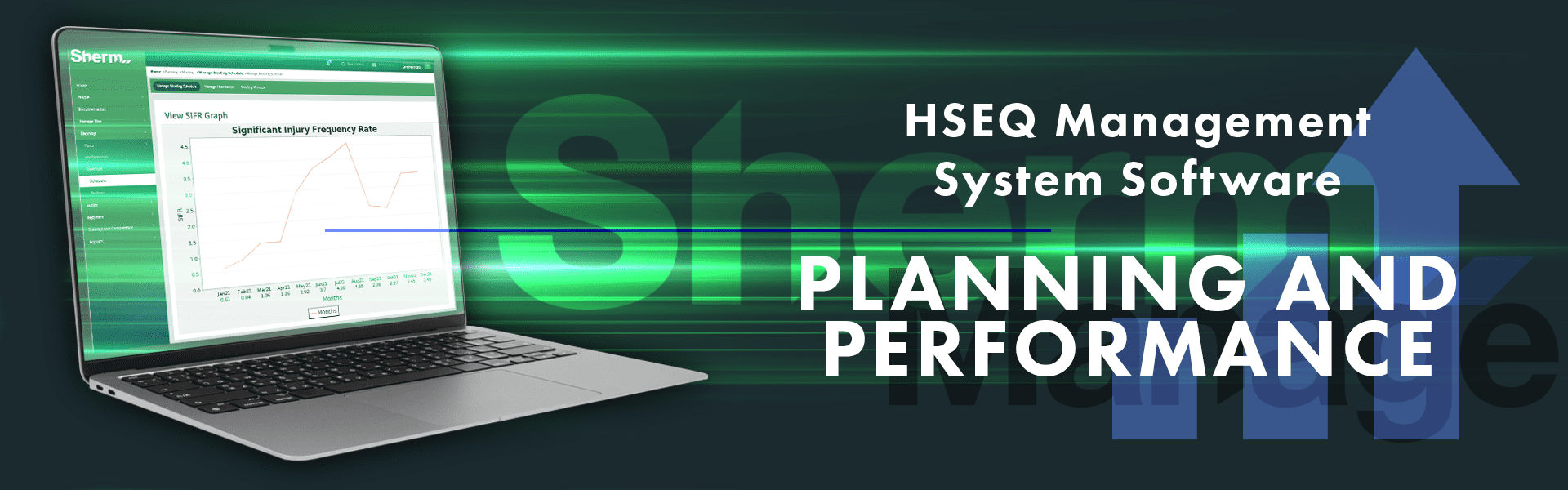
  • At-a-Glance Monitoring: Access and export safety performance data, and view participant ratios for meetings and safety toolboxes.
  • Private Meeting Privacy Control: Mark specific meetings as ‘Private’ to limit access to sensitive discussions.

Key Benefits of Sherm’s Planning & Performance Software

1. Efficient Planning and Tracking
  • Centralised Planning Tools: Easily create, monitor, and update plans in a single platform, enhancing efficiency and control.
  • Instant Progress Updates: Assigned personnel can report task completion in real-time, keeping managers up-to-date.
2. Enhanced Compliance and Performance
  • Regulatory Adherence: Simplify the compliance process with documented and trackable safety targets.
  • Performance Monitoring: Use defined lead and lag indicators to maintain a focus on achieving safety objectives.
3. Seamless Collaboration
  • Collaborative Meeting Features: Assign action items and review minutes, enabling teams to work together toward organisational goals.
  • Automated Reminders: Stay on top of scheduled meetings with automatic notifications, ensuring timely discussions and follow-ups.
4. Data-Driven Decision Making
  • Insightful Reporting: View and export performance data for well-informed planning and analysis.
  • Goal Adjustment Capabilities: Quickly adjust goals and strategies in response to real-time performance metrics.

Sherm’s Planning and Performance Software brings a structured, collaborative, and data-informed approach to planning, helping organisations stay focused on compliance, performance, and continuous improvement.

Intro Video

Register > HERE and Fill out Form

Receive Confirmation Email.

Watch Video > In 9 minutes understand our process.

Contact Us > Let's discuss your requirements.

Frequently Asked Questions

Sherm captures and consolidates key HSEQ performance data from multiple modules—such as incidents, hazards, inspections, training, and audits—into the Monthly Data Analysis Report. This report is automatically emailed each month to users with notification rights and includes indicators like hours worked, corrective action status, expired site documents, injury data, and audit results. It enables informed decision-making and helps drive continuous improvement across all sites.

Sherm’s Planning > Performance module records internal audits, meeting attendance, inspection frequency, incident investigations, and completion rates for corrective actions. These metrics provide a clear snapshot of your organisation’s safety performance and are used to monitor progress toward defined HSEQ goals. Trends are visualised to highlight areas requiring attention or improvement.

Sherm’s Planning > Meetings module is used to schedule and document operational, safety, and performance review meetings. Meeting agendas can include review of HSEQ performance reports, status of plans, and corrective actions. Facilitators record meeting minutes directly into Sherm, and these are stored for reference and action tracking. This ensures accountability, supports consultation obligations, and links discussions to system updates, audits, inspections, and continuous improvement planning.

HSEQ Management Plans can be created and managed directly in Sherm using the Planning module. Plans are typically developed each year to support business safety goals and performance targets. You can assign tasks to team members, track progress, and set deadlines. Assigned users are notified by email and can access their tasks under My Task. Supporting documents can be linked from the Approved Documents Register, and everything is tracked in one place—making it easy to stay on top of compliance and continuous improvement.

Document Management

Document Management Software - Sherm HSEQ Software

HSEQ Management System Software

Documentation

Streamline Your Operations with Sherm’s Document Management Software

In today’s fast-paced environment, effective document management is crucial for organisations striving to optimise safety, health, employee management, and risk activities. Sherm’s Document Management Software reduces the burden of traditional paper-based systems, providing a comprehensive solution for efficient document handling.

Key Features of Sherm's Document Management Software

1. Centralised Document Storage
  • Unified Repository: Store all types of documents, from policies and procedures to reports and training materials, in a single location.
  • Diverse File Support: Accommodates various file formats, supporting uploads up to 4MB.
2. Advanced Search and Filtering
  • Robust Search Capabilities: Quickly locate documents using keywords, tags, or metadata.
  • Effective Filtering: Narrow down search results to find relevant documents with ease.
3. Role-Based Access Control
  • Customised Permissions: Set access levels for users based on site and department, ensuring only authorised personnel can view, edit, or delete documents.
  • Enhanced Security: Utilise Document Handlers to maintain control over sensitive information.
4. Version Control and Audit Trail
  • Document History: Track changes and maintain a comprehensive history of document versions.
  • Audit Trail: View who made changes, what changes were made, and when, ensuring transparency.
5. Document Sharing and Collaboration
  • Collaborative Features: Share documents with colleagues and external partners, supporting real-time commenting and annotations.
  • Enhanced Teamwork: Facilitate collaborative review processes to improve document quality.
6. Automated Workflows
  • Streamlined Processes: Automate review, approval cycles, and document distribution to ensure timely actions are taken.
  • Management Reports: Generate Monthly Data Analysis Reports for management, enhancing oversight.
7. Notification Reminders
  • Automated Alerts: Receive notifications for document updates, approvals, and review deadlines, keeping users informed.
  • Dashboard Notifications: Ensure timely action on important documents with automated reminders.
8. Compliance Management
  • Stay Compliant: Manage compliance-related documents effectively, ensuring they are current and easily accessible during audits.
  • Track Regulatory Deadlines: Tools to monitor compliance requirements and deadlines help mitigate risks.
9. Document Templates
  • Customisable Options: Create standard documents using pre-designed templates, ensuring consistency and compliance.
  • Reduced Error Risk: Simplify document creation while minimising potential errors.
10. Mobile Access
  • Flexibility on the Go: Access company documentation from mobile devices, enhancing convenience and knowledge retention.
  • Support for Workers: Provide immediate access to relevant job-related information for improved performance.

Key Benefits of Document Management in Sherm Software

1. Centralised Repository
  • Easy Access: A single location for all documents ensures seamless retrieval and reduces the risk of loss.
  • Up-to-Date Information: All team members work with the latest versions, enhancing operational efficiency.
2. Improved Compliance
  • Regulatory Adherence: Maintain compliance with industry regulations through proper document storage and accessibility.
  • Audit Preparedness: Facilitate quick, accurate responses to audits and inspections.
3. Enhanced Collaboration
  • Real-Time Access: Multiple users can access and collaborate on documents simultaneously, improving team efficiency.
  • Document Linking: Easily link documentation to training management processes for better integration.
4. Increased Security
  • Controlled Access: Protect sensitive documents with role-based security measures to prevent unauthorised access.
  • Data Protection: Mitigate risks of data breaches with robust security protocols.
5. Efficient Document Retrieval
  • Speedy Searches: Advanced search functionalities streamline the retrieval process, saving valuable time.
  • Boosted Productivity: Reduce the time spent searching for documents, allowing more focus on core tasks.
6. Version Control
  • Clear Document History: Maintain a record of document revisions, ensuring access to the latest version at all times.
  • Transparent Changes: Audit trails provide insights into document modifications for accountability.
7. Archiving Capabilities
  • Maintain Archives: Keep all archived documents, including previous versions, for potential future reference.
  • Support Investigations: Provide evidence of documented information as needed during audits or litigation.

Sherm’s Document Management Software empowers organisations to efficiently manage their documentation, promoting compliance, collaboration, and operational excellence.

Intro Video

Register > HERE and Fill out Form

Receive Confirmation Email.

Watch Video > In 9 minutes understand our process.

Contact Us > Let's discuss your requirements.

Frequently Asked Questions

Sherm’s secure Document Register is the central location for managing all controlled documents, including policies, procedures, and plans. It features version control, expiry tracking, and approval workflows. Once approved, documents are automatically emailed to active users and made available under Approved Documents, including access via the Sherm Mobile App. If a document is linked within Sherm (e.g. in the Training Master), any updates will automatically apply across all linked areas, ensuring only current versions are in use.

Yes. Sherm automatically sends review reminders to the assigned Document Owner based on the review cycle. The platform manages approval workflows and tracks all document statuses. Documents that are due for review are also flagged in the Monthly Data Analysis, supporting ongoing compliance and governance.

Yes. Users assigned as Contributors within the Document Handlers settings can archive outdated documents directly from the Document Register. Archived documents are retained along with all previous versions, ensuring historical traceability and access if ever required in the future.

Safety Registers

HSEQ Management System Software for Managing Company Registers and Risk Assessments. Safety Registers Management Software​ - Sherm

HSEQ Management System Software

Registers

Streamline Compliance with Sherm’s Safety Registers Management Software

Sherm’s Safety Registers Management Software equips organisations with powerful tools to maintain comprehensive, accurate, and up-to-date safety records. By centralising data, automating workflows, and ensuring compliance, Sherm Software enhances safety management, boosts regulatory compliance, and fosters continuous improvement in workplace safety practices.

Key Features of Sherm Safety Registers Management Software

Types of Safety Registers
1. Competency Assessment Test Register
  • Keep a record of employee Competency Assessment Tests (CAT), including completion dates and next due dates based on the frequency set in the CAT Master and Manage Positions.
2. Chemical Register
  • Document all chemicals used within the business, filtered by site, department, and hazardous status. Monitor SDS expiry and completed risk assessments, with the option to export a Site-Based Chemical Register. Workers can access SDS on the Mobile App.
3. Contractor / Supplier Register
  • Track contractors and suppliers, monitor their insurance status, and maintain records of certifications and products supplied. Schedule training and register licenses and certificates to ensure compliance. Contractor workers can access the Mobile App.
4. Legal Register
  • Maintain a record of all relevant legislation affecting business operations, linking to the regulators’ site and monitoring through Workplace Inspections Management.
5. Manual Task Register
  • Document all hazardous manual tasks, complete risk assessments, and log corrective actions to create a hazard report for ongoing risk management and documentation.
6. Plant Register
  • Record all plant items by site, department, and location. Complete risk assessments, link approved documents, and store essential safety documentation provided by suppliers or manufacturers. Assign plant items and track maintenance, inspections, services, and calibrations, with notifications for due dates.
7. Risk and Opportunity Management
  • Effectively manage risks and opportunities to enhance organisational resilience, compliance, and strategic growth.
8. Training Register
  • Document employee training sessions, including completion dates and next due dates based on the frequency set in the Training Master and Manage Positions.

Key Benefits of Sherm Safety Registers Management Software

1. Improved Organisation
  • Centralised records streamline safety management processes and ensure easy access to critical information.
2. Risk Mitigation
  • Proactively identify and address risks before they escalate, protecting the organisation from potential losses.
3. Opportunity Exploitation
  • Actively seek and capitalise on opportunities for growth and innovation.
4. Enhanced Compliance
  • Maintain comprehensive and accurate safety registers to meet regulatory requirements and minimise non-compliance penalties.
5. Data-Driven Decision Making
  • Utilise detailed records and advanced reporting tools to support informed decision-making and continuous improvement in safety practices.
6. Increased Efficiency
  • Automate workflows and integrate with other modules to reduce administrative burdens and enhance safety management efficiency.
7. Regulatory Adherence
  • Ensure compliance with industry regulations and standards, minimising the risk of legal penalties and reputational damage.

Sherm’s Safety Registers Management Software empowers organisations to streamline compliance, improve safety management practices, and ensure a safer workplace environment.

Intro Video

Register > HERE and Fill out Form

Receive Confirmation Email.

Watch Video > In 9 minutes understand our process.

Contact Us > Let's discuss your requirements.

Frequently Asked Questions

Sherm allows contractors and suppliers to be prequalified and registered in the system with all required documentation, including insurances, licences, SWMS, and certifications. Contractors must complete specific forms such as the Contractor Details Form, Safety Requirements Acknowledgement, and Induction Form prior to engagement. Once approved, all information is maintained in the Contractor/Supplier Register, with automated alerts for document expiry and system flags for non-compliance. The system also tracks contractor performance, incidents, and history, supporting legal compliance and audit readiness.

Contractor workers are registered under their parent company in Sherm, with the option to assign login access via email. Licences and competencies for contractor workers are stored under Manage Contractor Employee, and their training records are logged under Training Undergone. When a contractor is marked as Do Not Use, all associated workers are automatically inactivated, maintaining data integrity and system security.

All contractors and suppliers must undergo site-specific induction relative to their role, duration of engagement, and location of work. Induction records are stored in Sherm under Manage Contractor Employee > Training Undergone.

Non-compliance issues are raised in Sherm under Issues Management, with actions managed via the Corrective Actions Procedure. If a contractor poses a risk to people, property, or operations, their engagement may be reviewed or terminated. Sherm allows their status to be updated to Do Not Use, ensuring they can no longer be selected for future work or procurement.

Dashboard

HSEQ Management System Software Dashboard

HSEQ Management System Software

Dashboard

Snap Look At Everything In The Business with the Dashboard

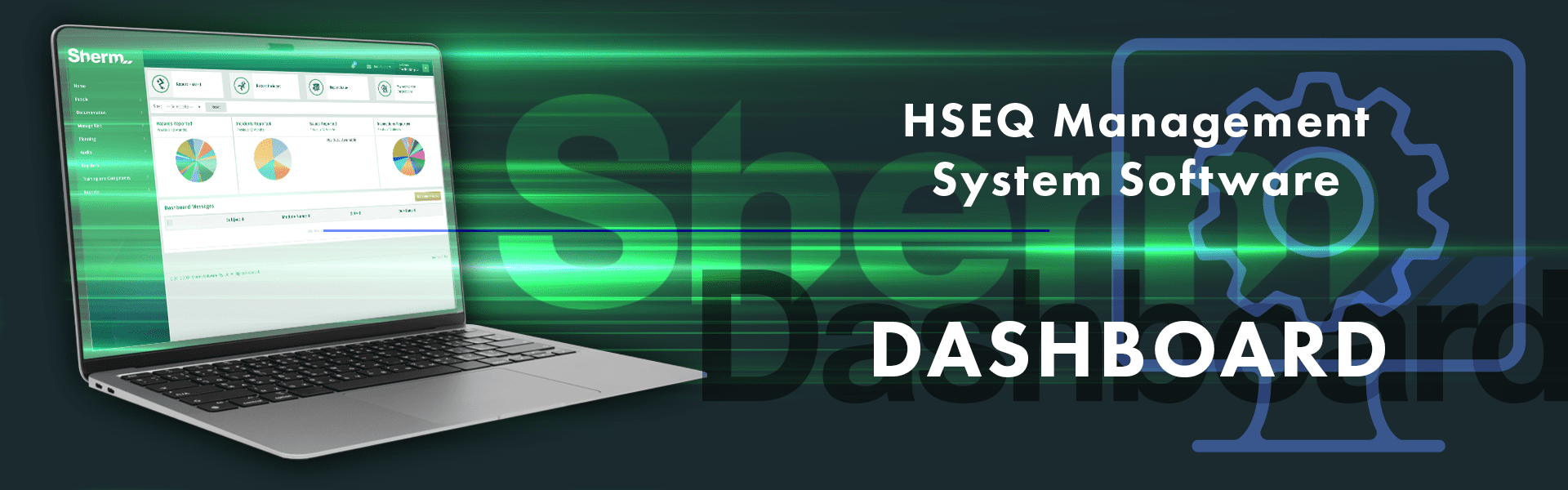
The dashboard is the home page of Sherm. It provides an easy display so that you can see all the reported items, scheduled training, corrective actions, meetings scheduled and pending documents for approval. The dashboard also contains the messages sent to you by the system.

Sherm’s Dashboard

  • The dashboard is the home page that provides an updated account of the various activities that are scheduled within the system
  • The easy display panel keeps users informed and in control of the activities they are required to undertake
  • Users can easily see and access more information regarding activities scheduled within the various modules
  • Quick links are provided to Report Hazard, Report Incident, Report Issue and conduct and or schedule Workplace Inspections
  • Dashboard messages are listed so that users can attend to the actions that require their attention as sent from within Sherm
  • The dashboard home display provides a structured menu bar of the modules to enable users to quickly adapt to the software application
  • Users can access and edit their profile to keep their personal details up to date at all times
  • Passwords can be easily changed by users as and when required
  • Users can view Primary Administrator and Secondary Administrator details
  • Users can submit a Tech Support
  • Push Notifications are visible
  • The information is always current and up-to-date

Intro Video

Register > HERE and Fill out Form

Receive Confirmation Email.

Watch Video > In 9 minutes understand our process.

Contact Us > Let's discuss your requirements.

Frequently Asked Questions

The Sherm Dashboard is a dynamic, real-time safety reporting interface that gives users immediate visibility into key WHS data across all operational sites. It displays up-to-date charts for hazards, incidents, issues, and inspections—enabling safety teams and managers to quickly assess performance, spot emerging trends, and respond proactively to risks. By centralising key metrics in one accessible view, the Sherm Dashboard helps drive informed decision-making and strengthens your safety management system.

Sherm’s Dashboard aggregates safety and compliance data from core modules, presenting it through clear, interactive pie charts. Reports currently displayed include:

  • Hazards Reported (last 12 months)
  • Incidents Reported (last 12 months)
  • Issues Reported (last 12 months)
  • Inspections Reported (last 12 months)

These visuals provide a fast, user-friendly overview of your organisation’s safety performance, eliminating the need for manual report generation and supporting audit-readiness at all times.

Yes. The Sherm Dashboard includes site-based filtering, allowing users to view safety data specific to a single location or across all sites. This is especially useful for regional managers or national HSEQ leaders overseeing multiple facilities. In addition, Sherm’s role-based access ensures users only see data relevant to their permissions, safeguarding data privacy while supporting tailored reporting insights.

Sherm’s Corrective Action Report tool provides a powerful way to monitor and manage outstanding actions across your business. Users can filter actions by type, category, site, department, responsible person, status, and date range. Each corrective action is logged with key details such as the responsible person, date reported, due date, and current status. This enables clear oversight, accountability, and compliance tracking. The report supports proactive follow-up and can be accessed by users with the appropriate role permissions.
See Reports