

Welcome to Sherm Update for March 2026
Improvements
Public Forms
-
These are now available for Incident Reporting, Hazard Reporting and Issue Reporting that can be accessed by both internal and external persons of the business. QR Code generation will be available and the QR Codes can be printed as stickers or signs, and/or published on your company website or Intranet.
-
Only accessible to the System Administrator of Sherm.
Training Journey
-
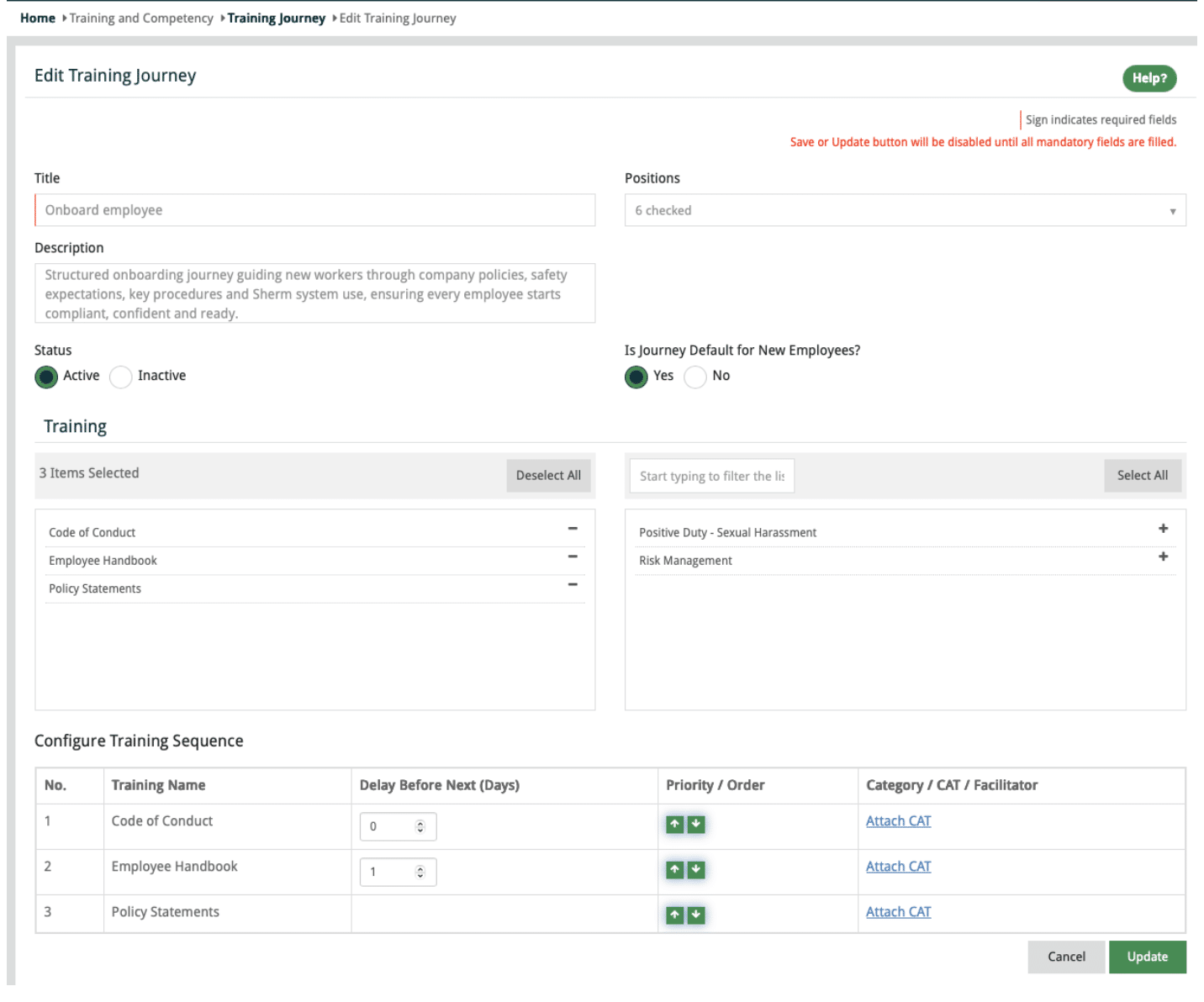
Training Journey has been updated to enable the creation of multiple training journeys.
-
Ability to set specific training journeys as a default for new employees that will schedule upon new worker being entered into Sherm.
-
Training journeys that are not selected by default for new workers can be developed based upon a position or multiple positions
-
Multiple position training journey will only display those trainings that are common across those positions.
Assign Notification Rights
-
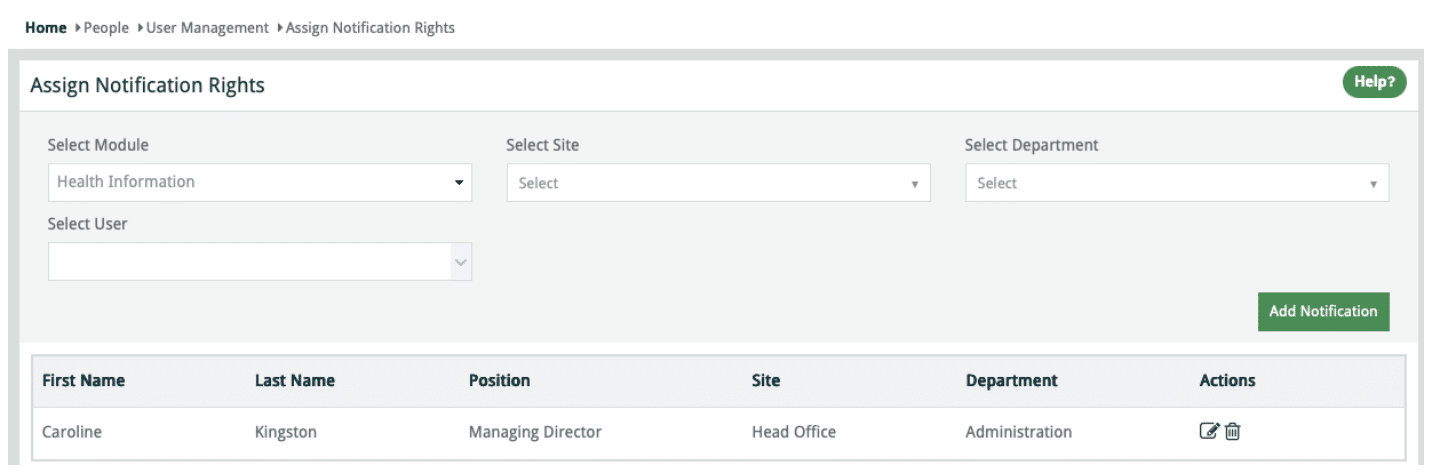
Notification can be set for Health Information will be accessible in next build to production. We will also include “Department” for these notifications.
Workplace Inspection Module
-
Removed the Category Master to simplify the scheduling process.
-
Inspection Masters are created for the sites that require specific inspections.
Inspection – Form Template Builder
-
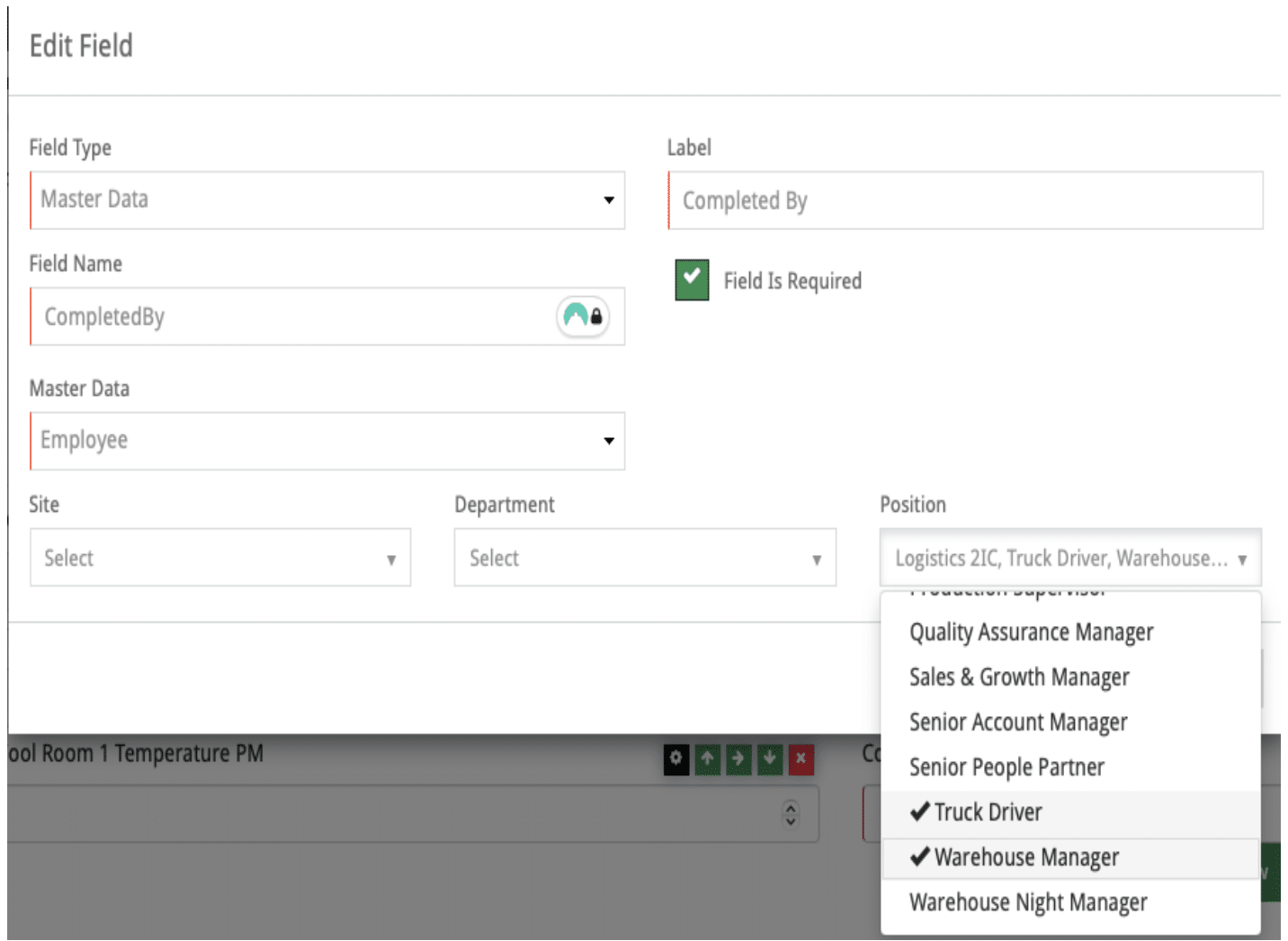
Field Type: Master Data for Employee now enables the selection of Site, Department and Position.
Note: multiple sites / departments and Positions can be selected.
Example: Multi Site operation may only want to select specific positions to conduct Vehicle Pre-Starts, then only workers with those assigned positions across the selected sites will display. For this example, you may not even consider the use of Site and just select position/s. Once selected, you can view the Dropdown to check all relevant persons displayed.
Training Journey – Functional Update
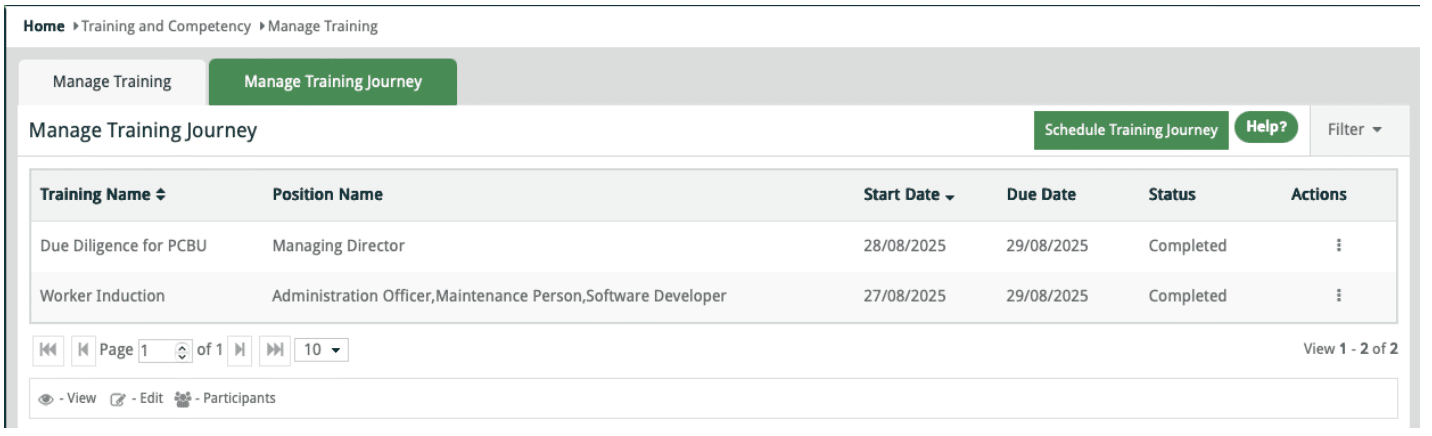
Training Journeys are templates used to create and schedule training via the Schedule Training function.
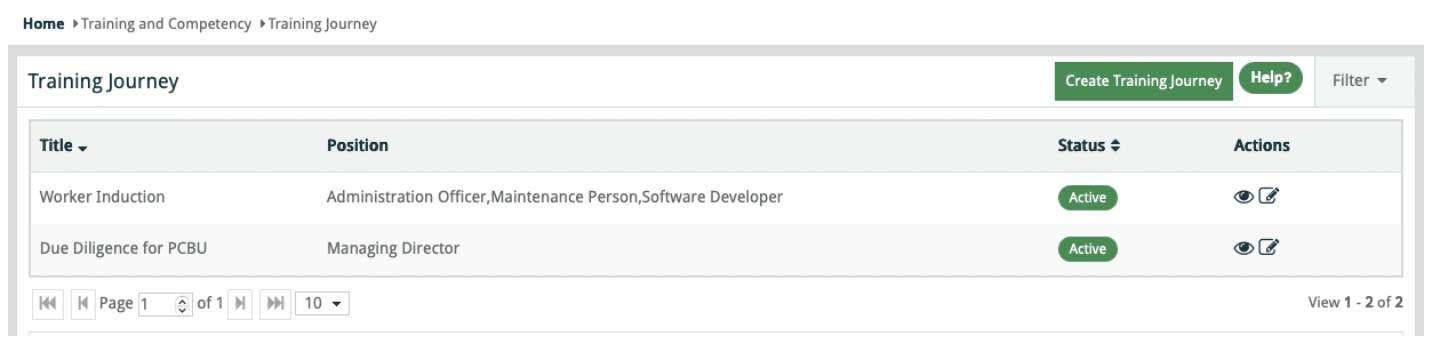
Multiple Training Journeys can be created to suit different roles or position-specific training requirements.
Induction Training Journeys can be assigned to all positions relevant to new employees. When multiple positions are selected, only Training Masters common to all selected positions will be available for inclusion.
Setting a Training Journey as Default for New Employees will automatically schedule the journey when a worker is added to Sherm, with a notification issued to the worker.
You may create as many training journeys as you like.
To ensure you get the most out of this function follow the following instructions:
-
Click Create Training Journey
-
Add Title
-
Select Positions (Note: if you select all positions as I have done with the Worker Induction above, only Training Masters that are common to each Position will display).
-
Choose either Yes or No to “Is this Journey Default” for new employess
-
Select Training and then go and link the CAT.
-
Save
In Training > Schedule Training, you can Schedule Training Journey
CAT Verification
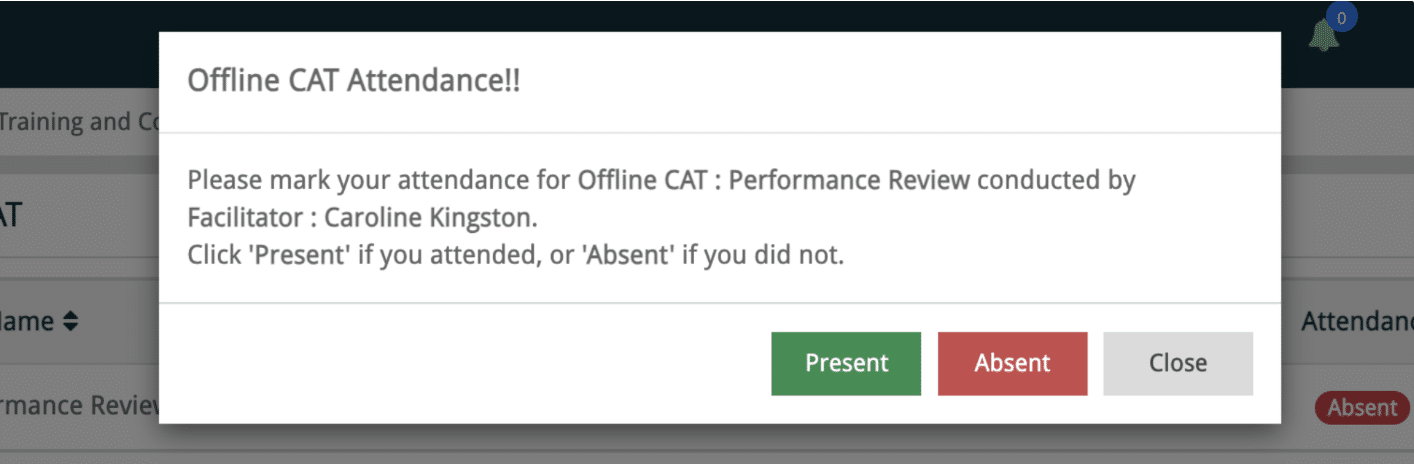
Fixes Completed
-
UI improvements to the Mobile App released in February.
-
Approved documents from Training Master now display in Scheduled Training in the Mobile App
-
Plant Risk Assessment Save & Submit button now active
-
Sort Training, CAT, Licence and Certificate alphabetically in select and deselect grid in Manage Position screen.
-
Pagination in CAT Master screen resolved
-
Resolved the issue of Inspection Type not displaying in Inspection Schedule Edit Popup.
-
Issue of not being able to delete in Risk & Opporutnity Register
-
Email issue sending to non intended users on adding Incident/Hazard.
-
Email and Dashboard Message for Scheduled Audit
-
Table of Contents pagination in View Audit Report and increase character limits to 15000 in Executive Summary and Recommendations
New Features
-
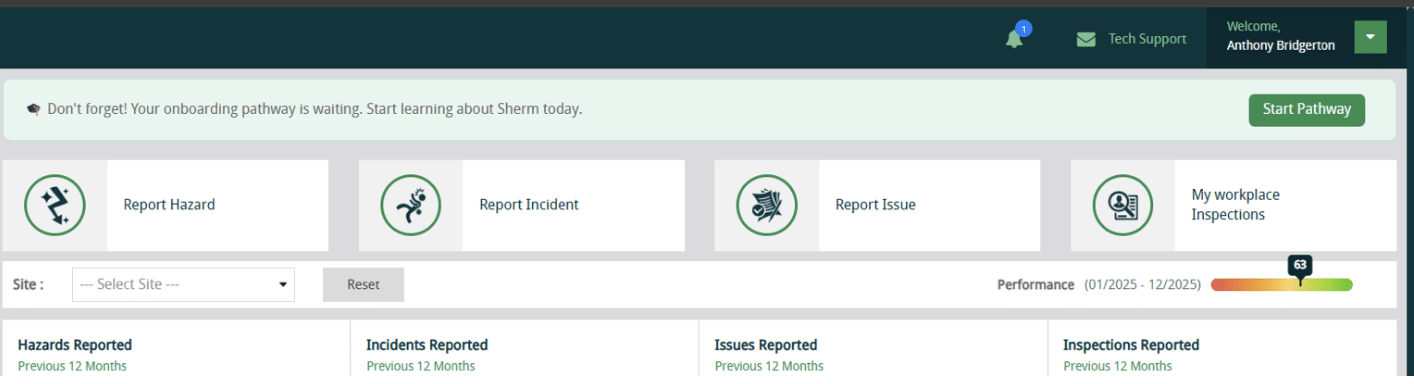
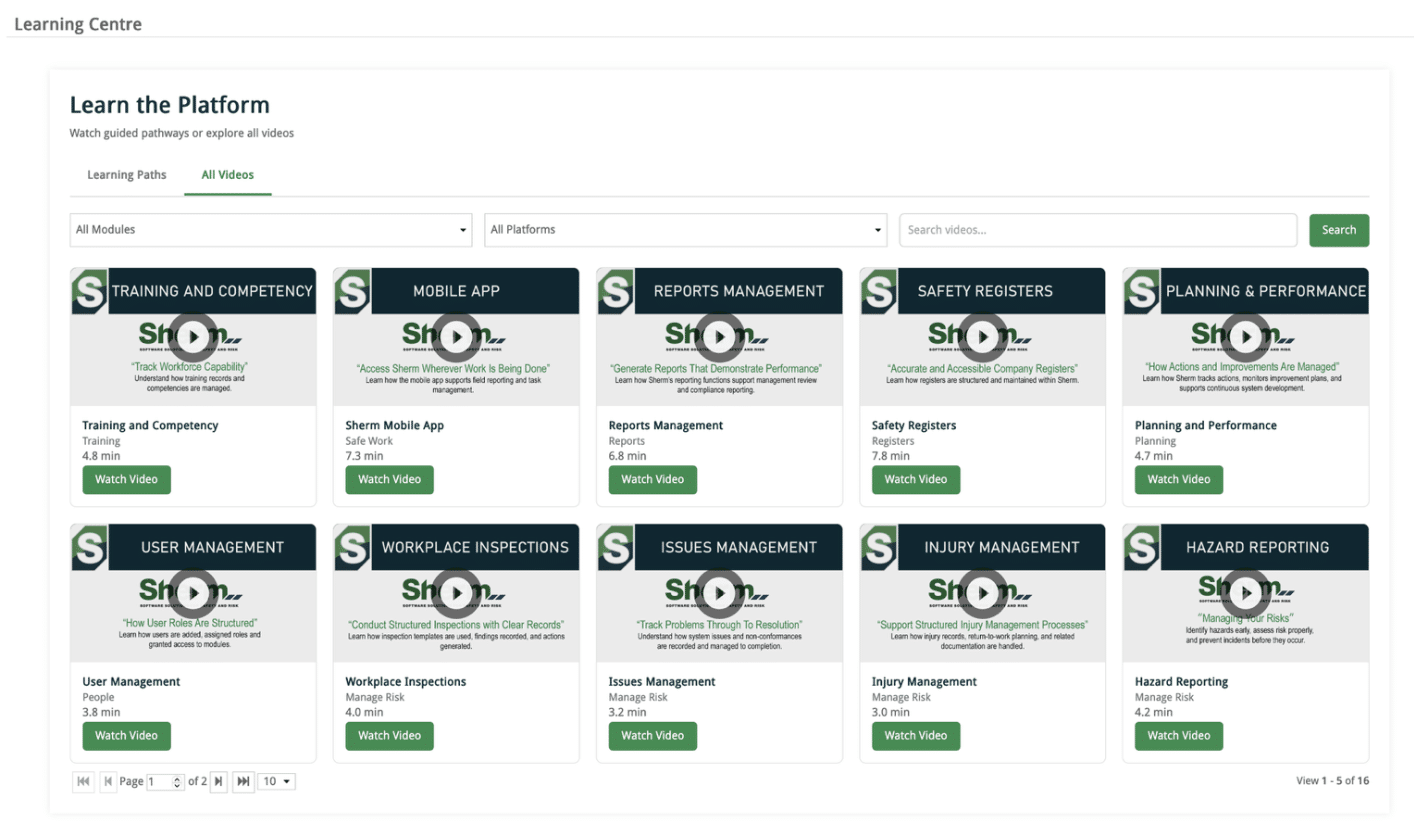
Learning Centre
We are working on a Learning Centre in Sherm and it is coming together quite nicely.
-
Employee Performance Review
Google Review
Share Your Sherm Experience – Leave a Google Review!
Your feedback makes a difference! I would love to hear how Sherm has supported your business—whether it’s the ease of use, the mobile app’s convenience, or our support.
⭐ Click HERE to leave a quick Google Review and share your experience with us.
Finally….
It is important to keep your procedures current and up to date and that changes are communicated to your work groups.
Stay happy, healthy, and free 😊
Best Regards,
The Sherm Team