

Welcome to Sherm Update for April 2026
New Features / Improvements
Learning Centre
Created a Learning Centre that will host the following:
-
Learning Pathways: created from selecting videos from our library to support staff learning
-
Learning Videos: individual videos that can be viewed as and when required by workers
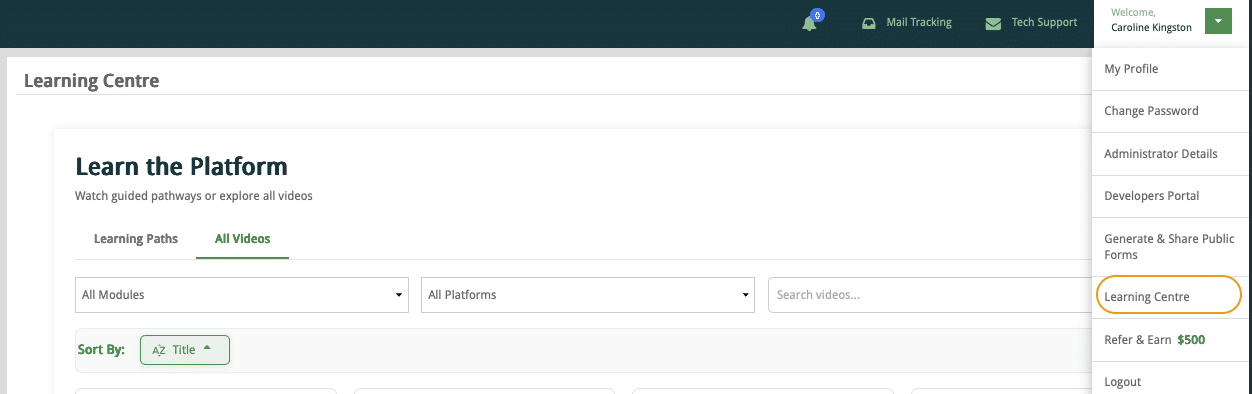
Learning Videos
The learning videos are searchable and sortable by module. Over time additional videos will be included, so I welcome your input as to what would help you and your workers.
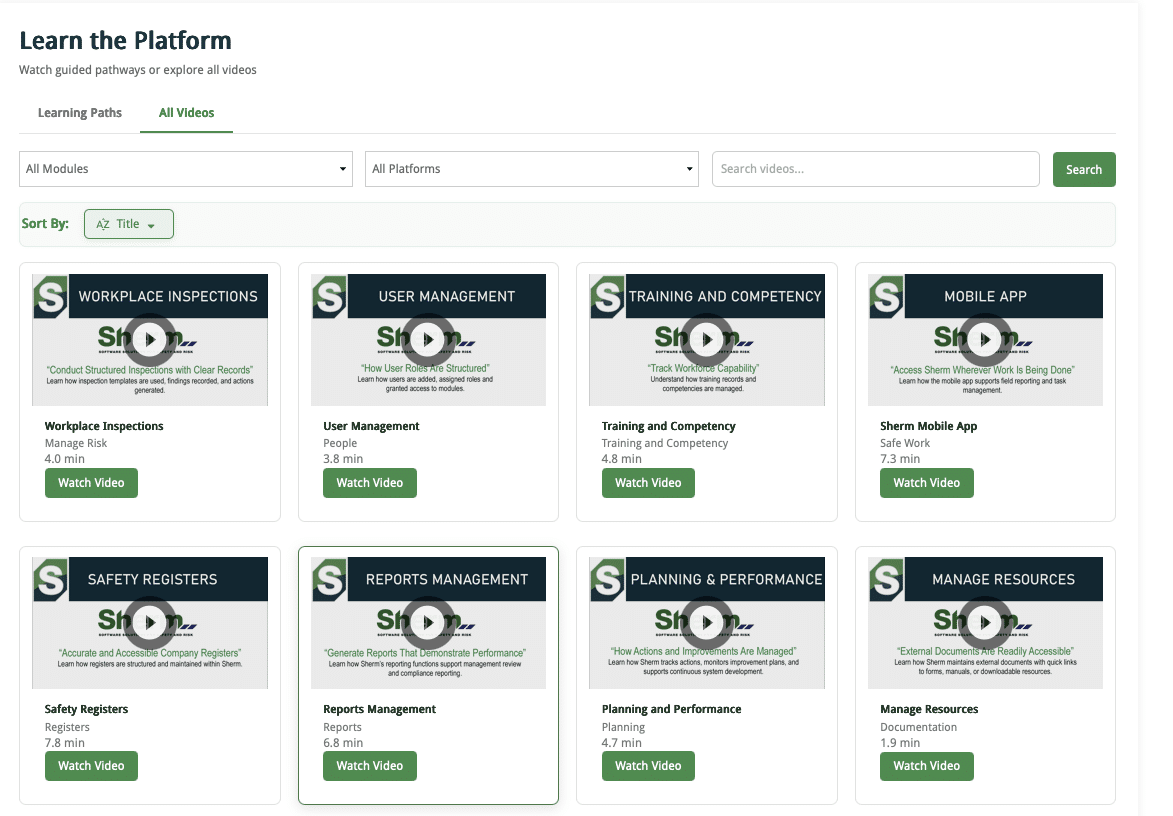
Learning Centre Pathways
Pathways have also been created so you can schedule as required for specific user levels and your expectations in the use of Sherm.
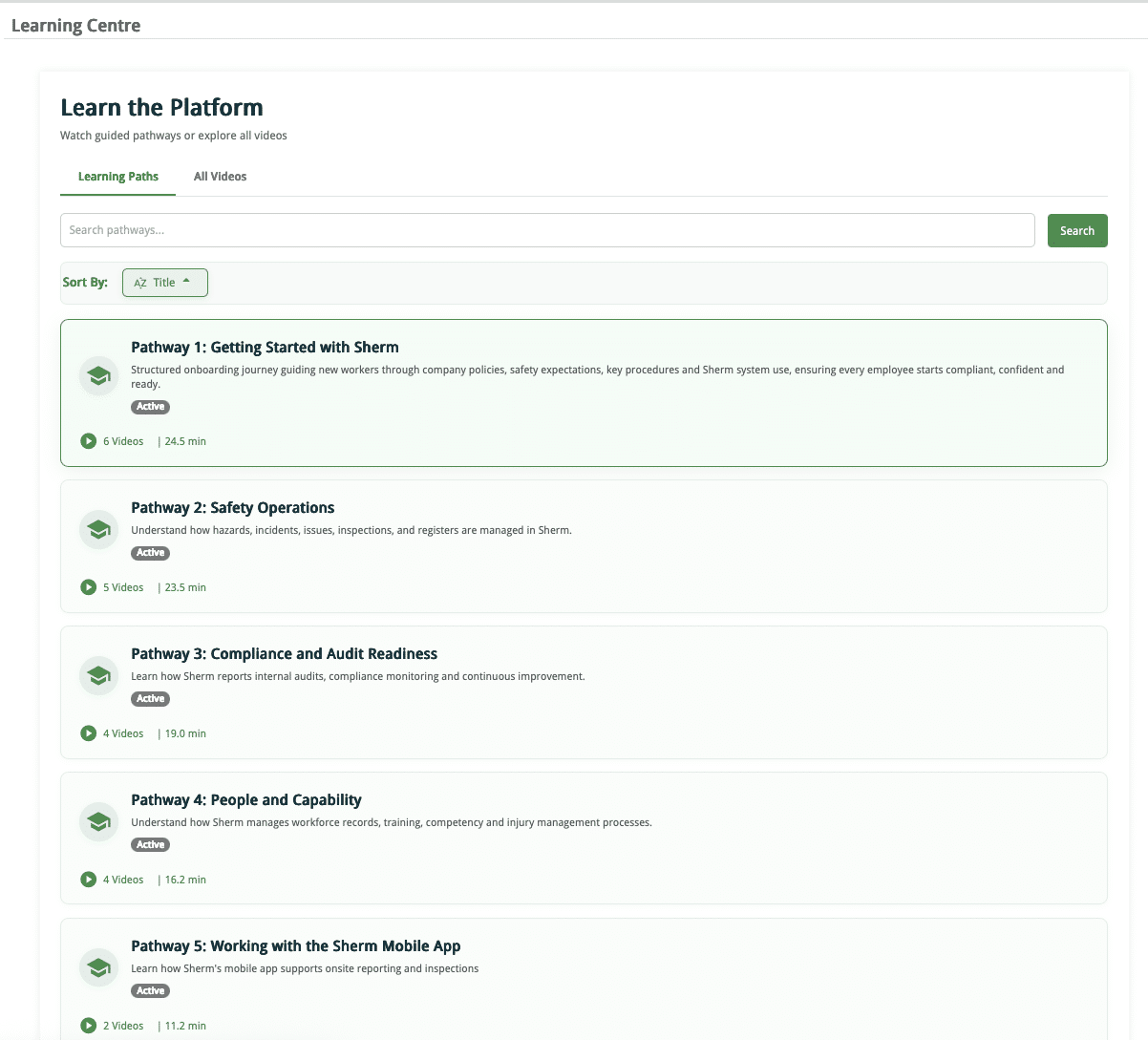
Training and Competency
Firstly, we have included an additional TAB – Learning Achievements in Manage Employee to display the Learning Pathways scheduled for workers and the record in their Employee Print Report.
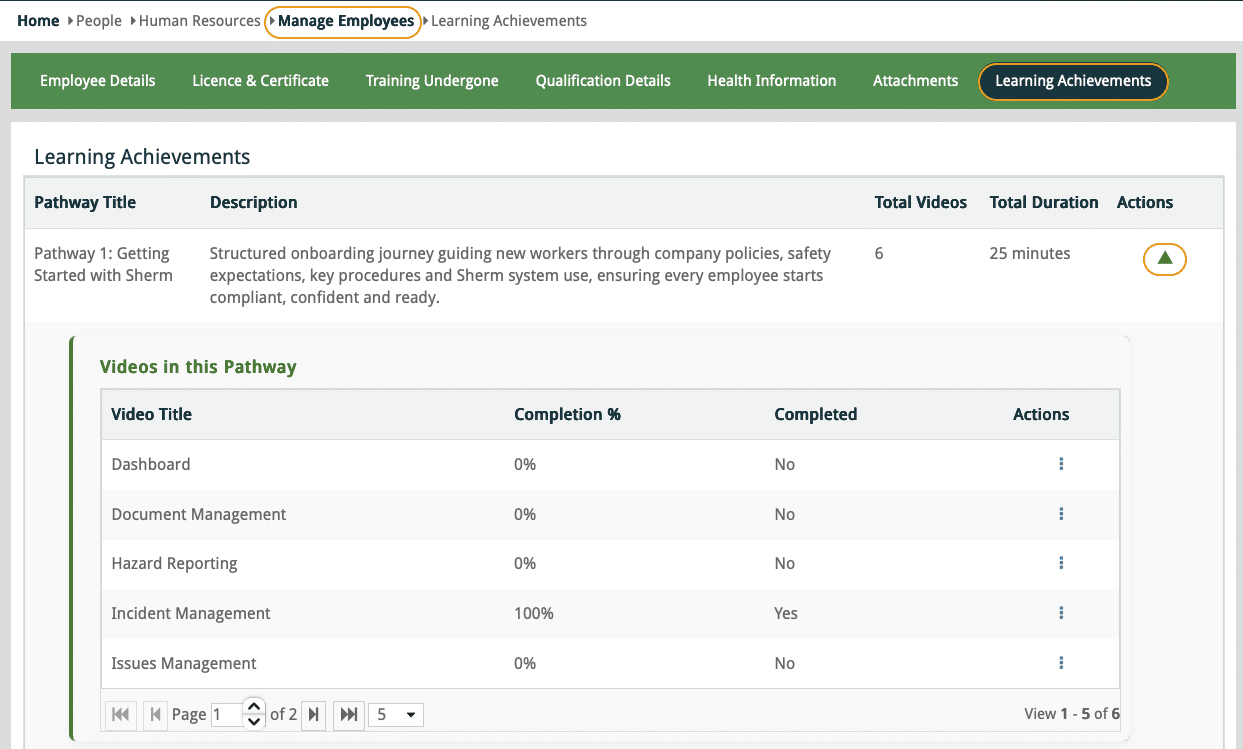
Training Master
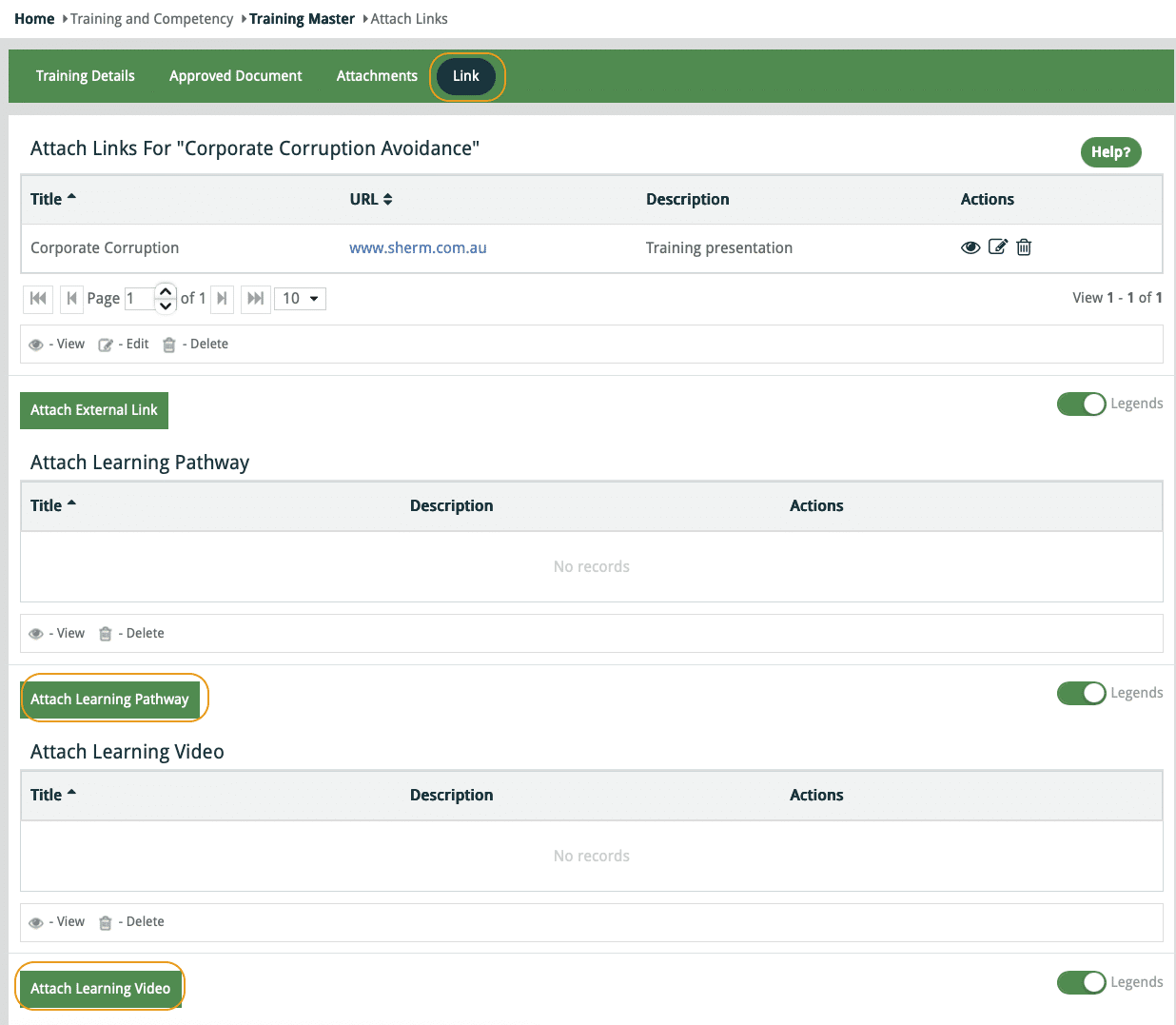
The function to include a Learning Pathway or a Training Video from the Learning Centre is provided in the Link tab of the Training Program.
My Training / My CAT
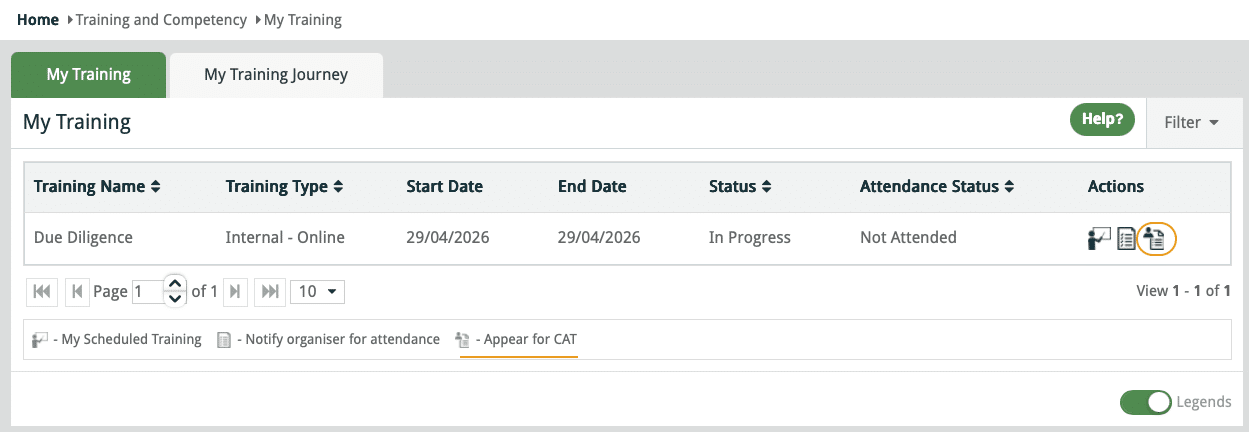
We have improved the User Interface here so workers can now access the MyCAT by clicking on the Appear for CAT action button positioned next to the “Notify Organiser of Attendance” button.
The Appear for CAT action button will display when a CAT has been linked to Scheduled Training. This saves the user having to go to MyCAT in both Web and Mobile App.
CAT Reminder Notification Email
If a worker has been scheduled training and CAT, but only completes the Training, a notification will be sent to the worker reminding them to complete the CAT in 1 day.
Worker Acknowledgements
User Notifications
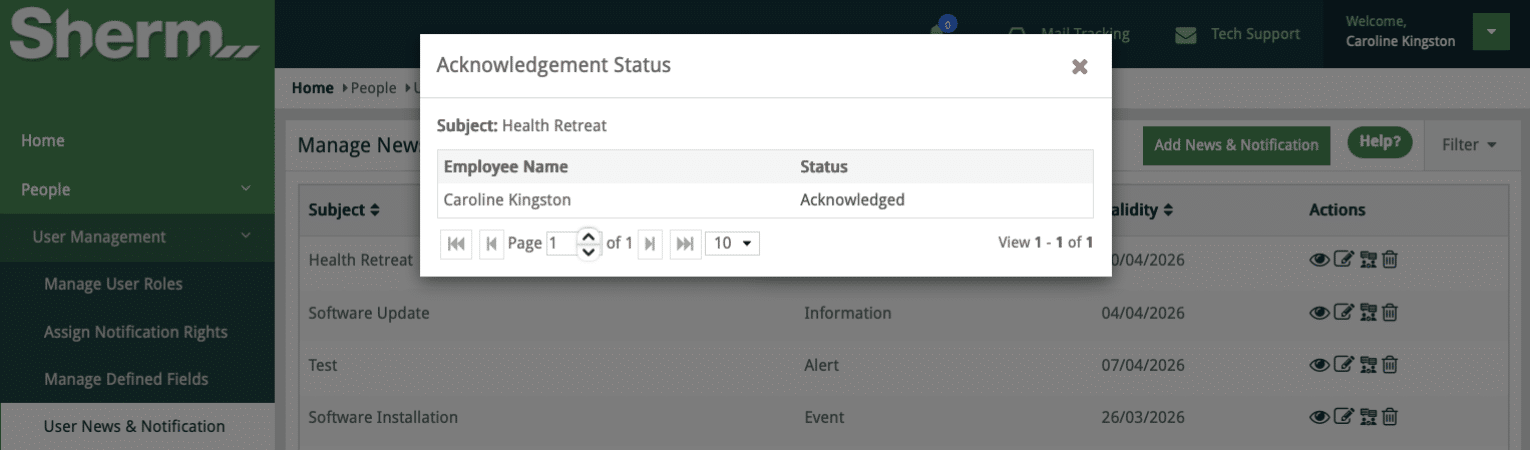
New feature that when a notification is pushed out you can monitor through Acknowledgement Status that will display in the User News and Notification.
Below is a view of post Acknowledgement Status.
Approved Documents
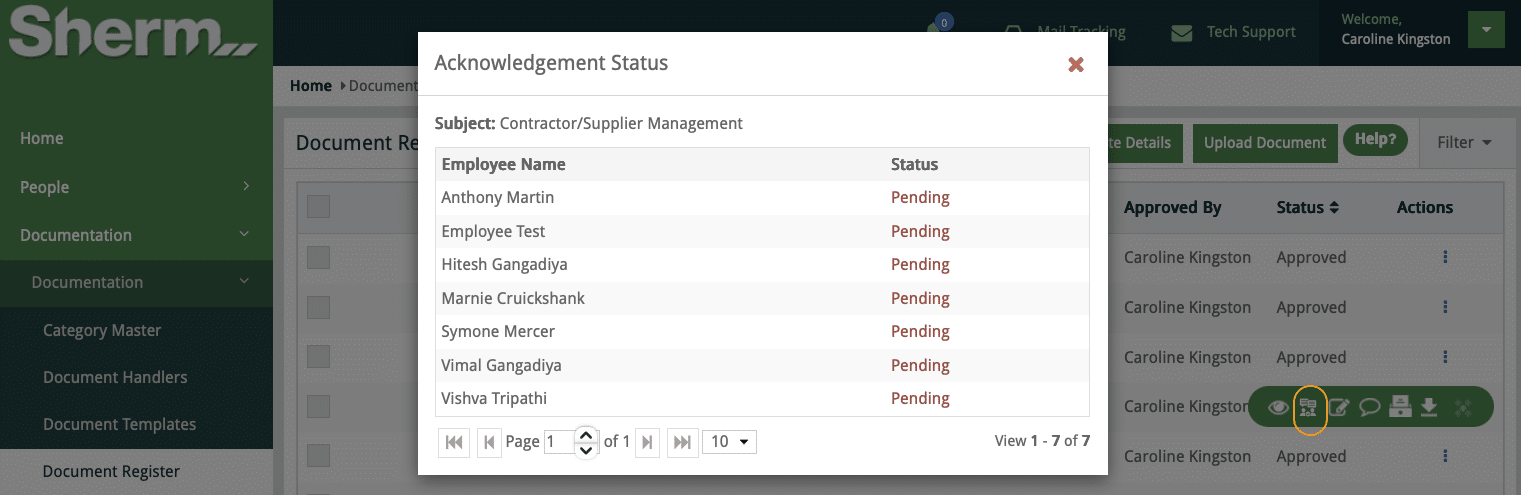
Upon approval of a Document that is then emailed to relevant users based upon Site / Department, the email will now require the worker to acknowledge receipt of such document.
In the Document Register is a new action button View Acknowledgement. Upon clicking, the Status will display for each worker that the document was distributed to.

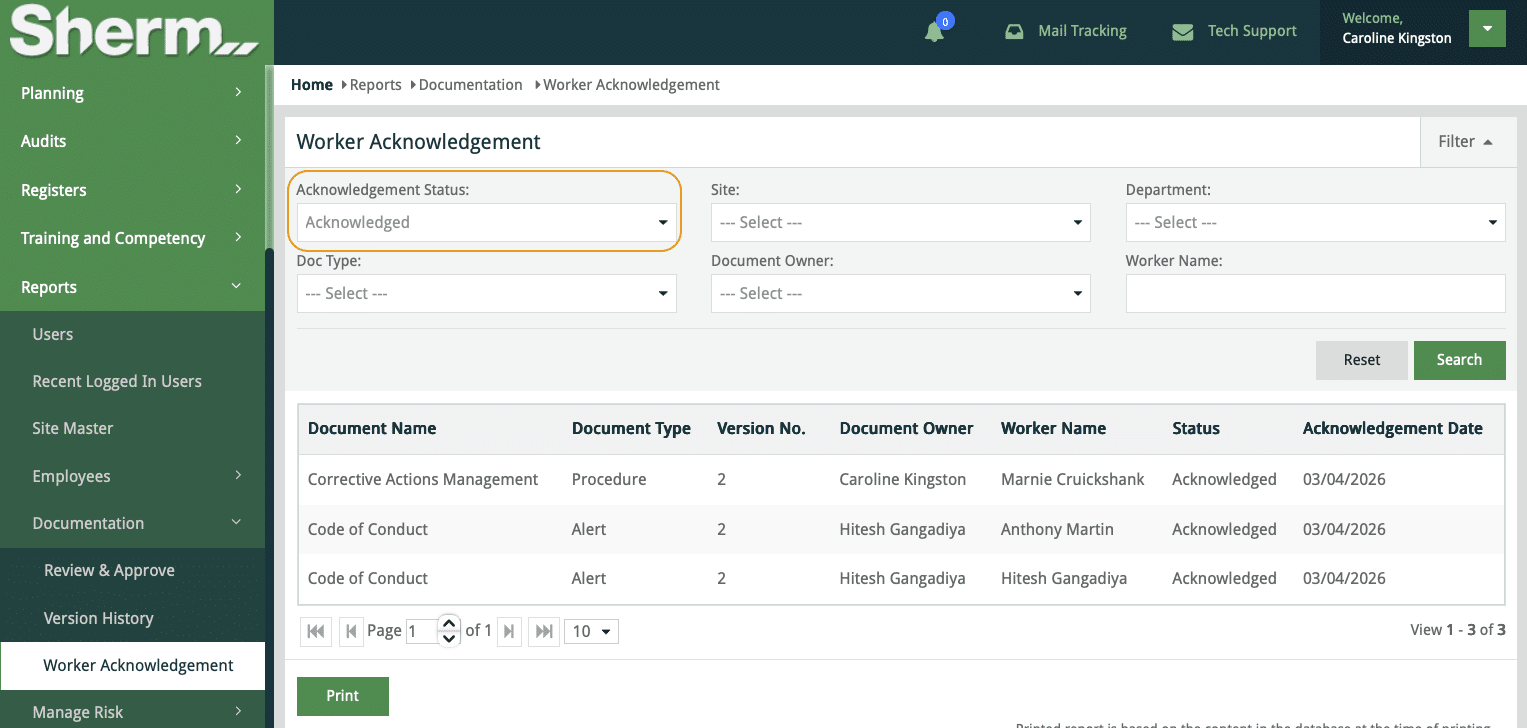
A new Report > Documentation > Worker Acknowledgement has been added that enables a report to be produced based on Acknowledgement Status, Site, Department etc..
Status included:
-
All (both acknowledged and pending)
-
Acknowledged
-
Pending
Location Master and Sub-Locations
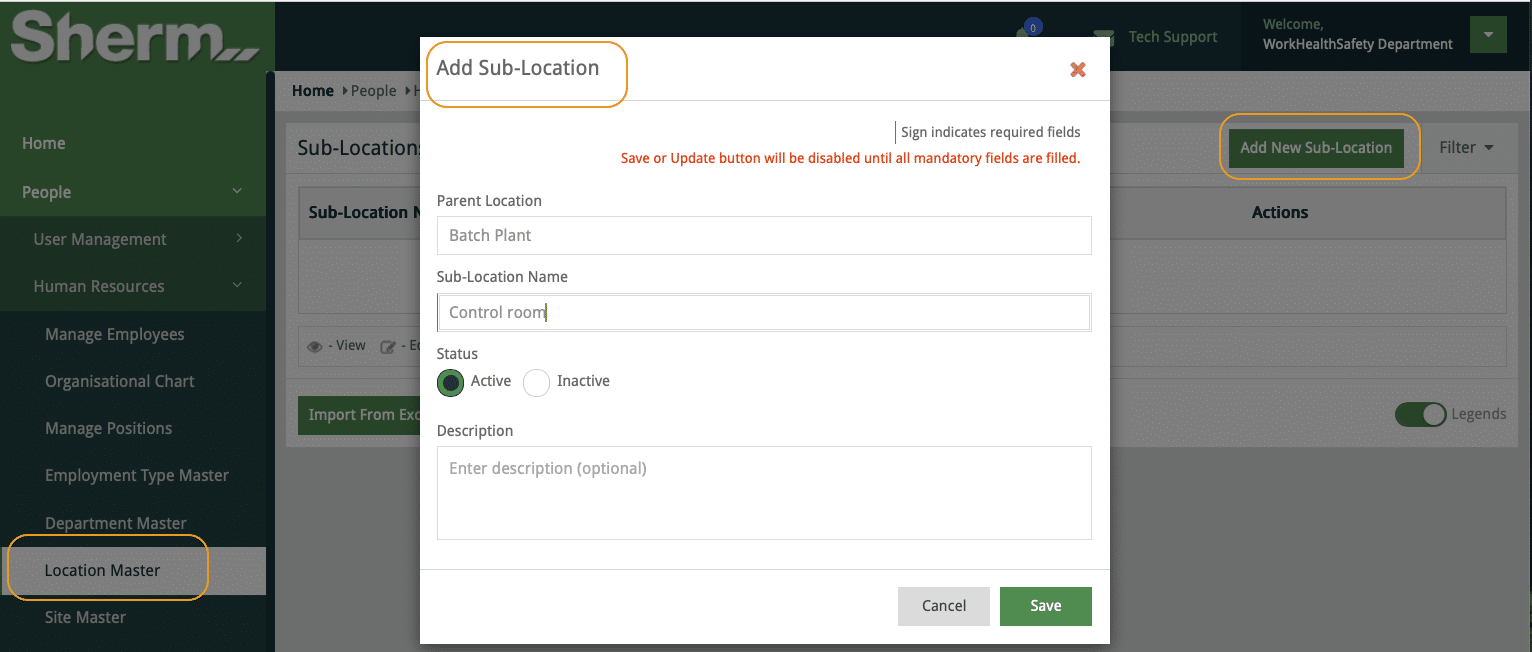
A Location Master is now located in People > Human Resources > Location Master. The Location Master will only affect 4 Modules: Hazard, Incident, Issues and Inspections.
Data will be populated based upon existing data contained within your site that has been generated over time. It would be feasible to review these Locations and make a determination if Sub-Locations are required.
Locations can be sorted by Site, so to add a Sub-Location, click on the + button where you may either use the Add New Sub-Location or Import from Excel.
Note: It is not a requirement to add sub-locations as we have not made this a mandatory field.
Fixes and Minor Inclusions
Incident Management > Injury Register
1. Agency of Injury / Illness
- Biological / physiological agents
-
Internal medical condition.
2. Mechanism of Injury / Illness
-
Medical event / sudden illness
3. Bodily Location of Injury / Illness
-
Internal organs
4. Nature of Injury / Illness
-
Cardiac event (heart attack / myocardial infarction)
Selecting Viewers – Report Hazard
-
Issue resolved to ensure viewers are highlighted from dropdown as user types in name.
-
Fix same issue in Mobile
Manage Audit
-
Increased character limit to 15,000 characters for Executive Summary and Recommendations
-
Fixed the Table of Contents order of display.
Pending New Feature
Employee Performance Review
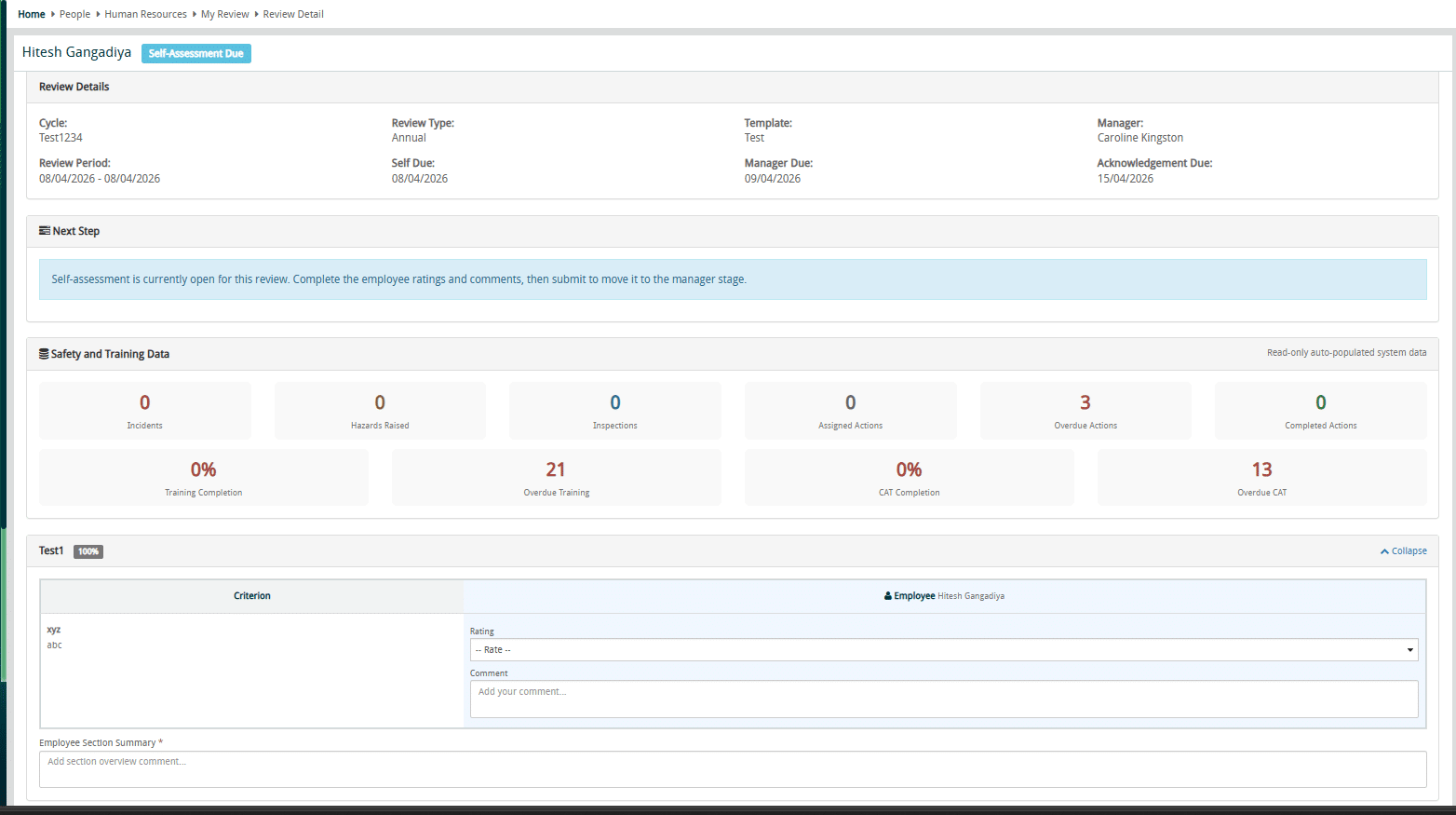
Currently we are in the review process of the Employee Performance Review. This feature will enable you to conduct structured, evidence-based performance reviews directly within the Sherm platform.
Administrators will be able to configure review templates covering safety performance, role competency, behavioural expectations, and WHS responsibilities. Employees complete self-assessments while managers conduct evaluations, hold review meetings, and finalise assessments with digital acknowledgement.
A key advantage is Sherm’s integration with existing system data — including incidents, hazards, inspections, training records, and corrective actions — providing objective evidence during reviews and strengthening accountability across the organisation.
Sneek preview of our progress
Google Review
Share Your Sherm Experience – Leave a Google Review! 🏆
Your feedback makes a difference! I would love to hear how Sherm has supported your business—whether it’s the ease of use, the mobile app’s convenience, or our support.
⭐ Click HERE to leave a quick Google Review and share your experience with us.
Finally….
It is important to keep your procedures current and up to date and that changes are communicated to your work groups.
Stay happy, healthy, and free 😊
Best Regards,
-
The Sherm Team